
Redesigning IBM Knowledge Hub
IBM Consulting
July 2025 - Ongoing
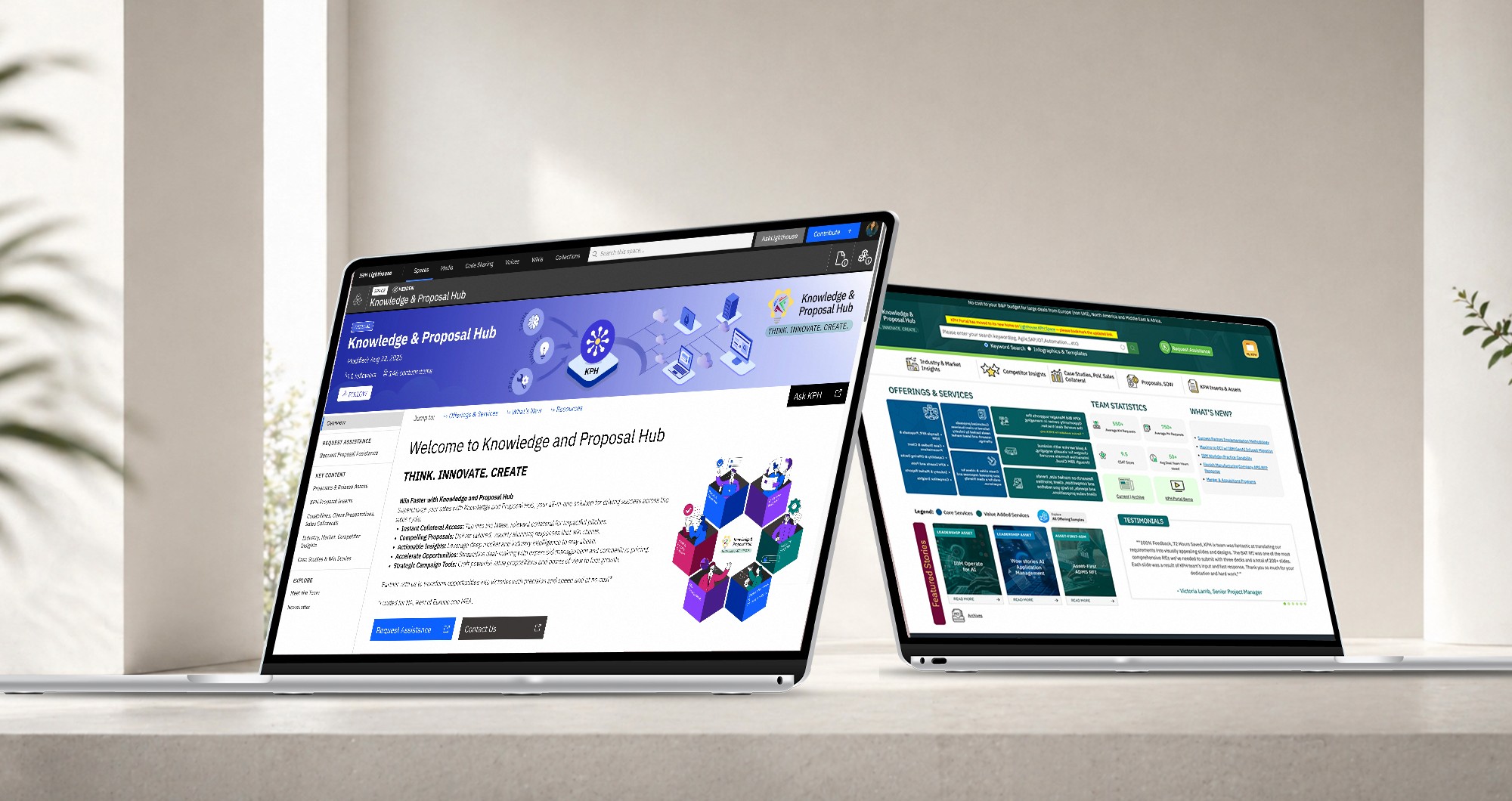
IBM Lighthouse
Carbon DS
What I worked on
Information architecture
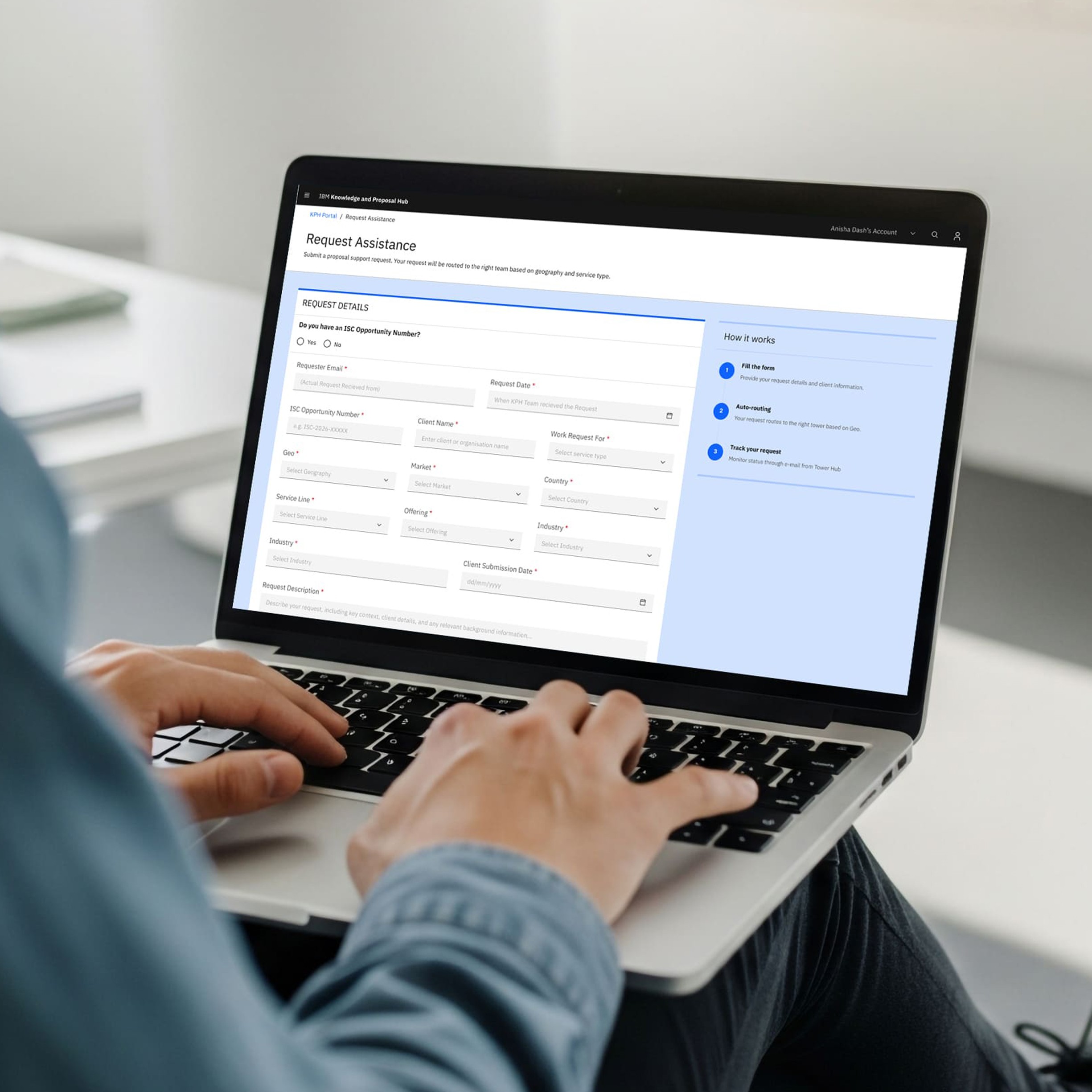
Request Assistance flow
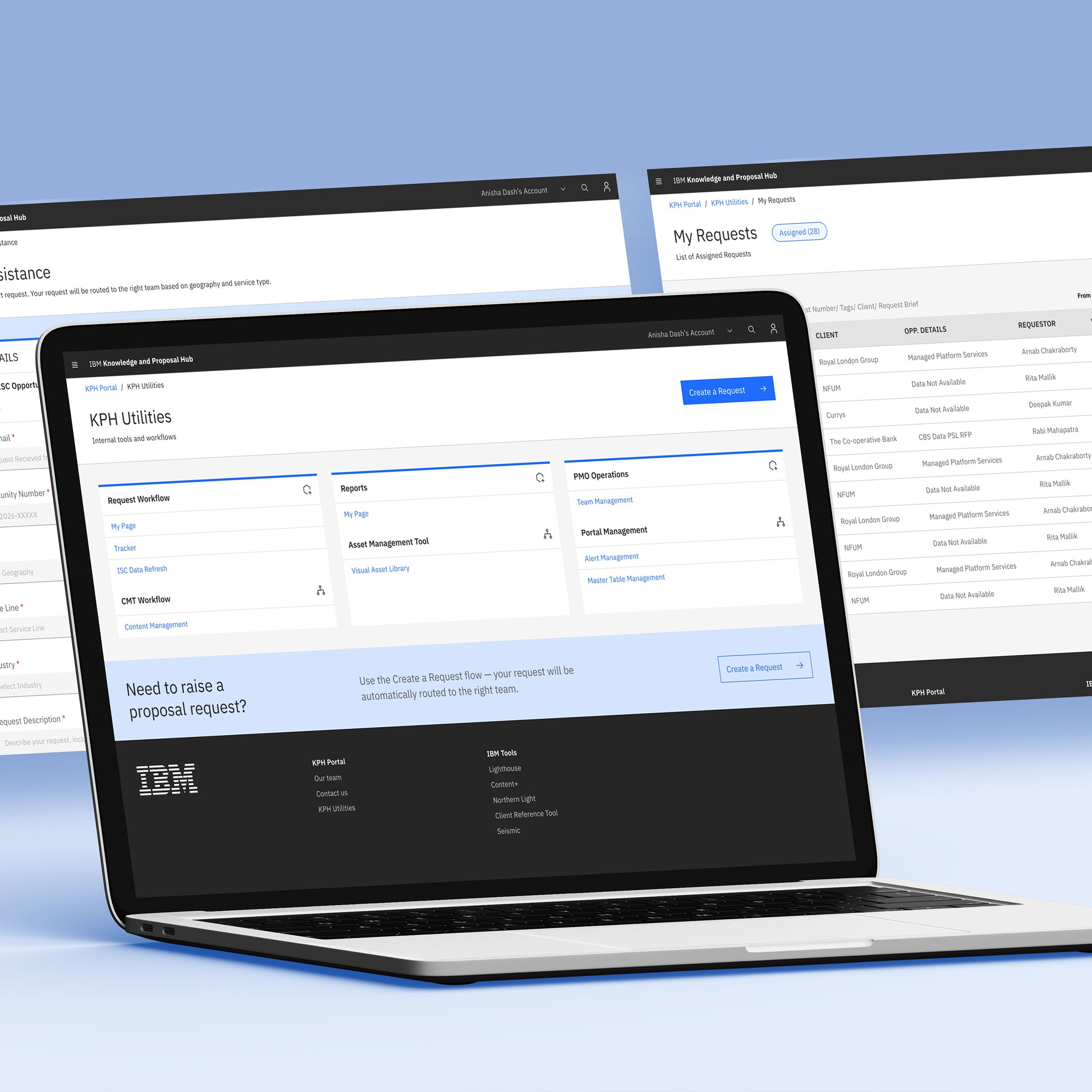
KPH Utilities (Cirrus)
Requests dashboard
Navigation and content structure
Challenge
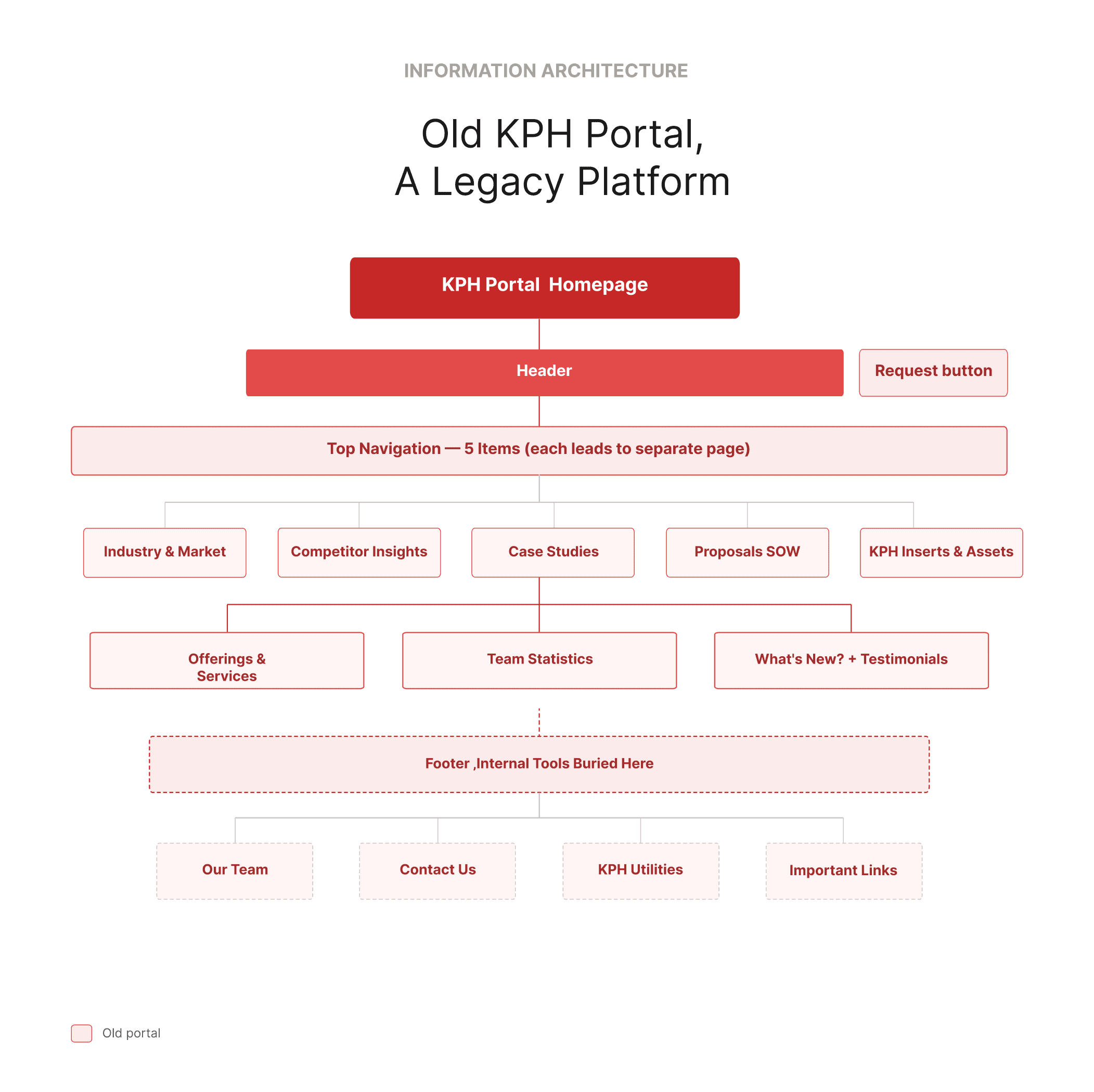
Two very different groups were using the same interface, and both struggled with it.
External stakeholders, like bid managers working against deadlines, couldn’t easily raise requests. The entry point wasn’t clear, and it was hard to know where to go.
At the same time, internal KPH teams managing requests, reports, and content had their tools buried within the same experience. Even simple updates were slow.
The platform was trying to serve both through one structure, and it wasn’t working for either.
Results
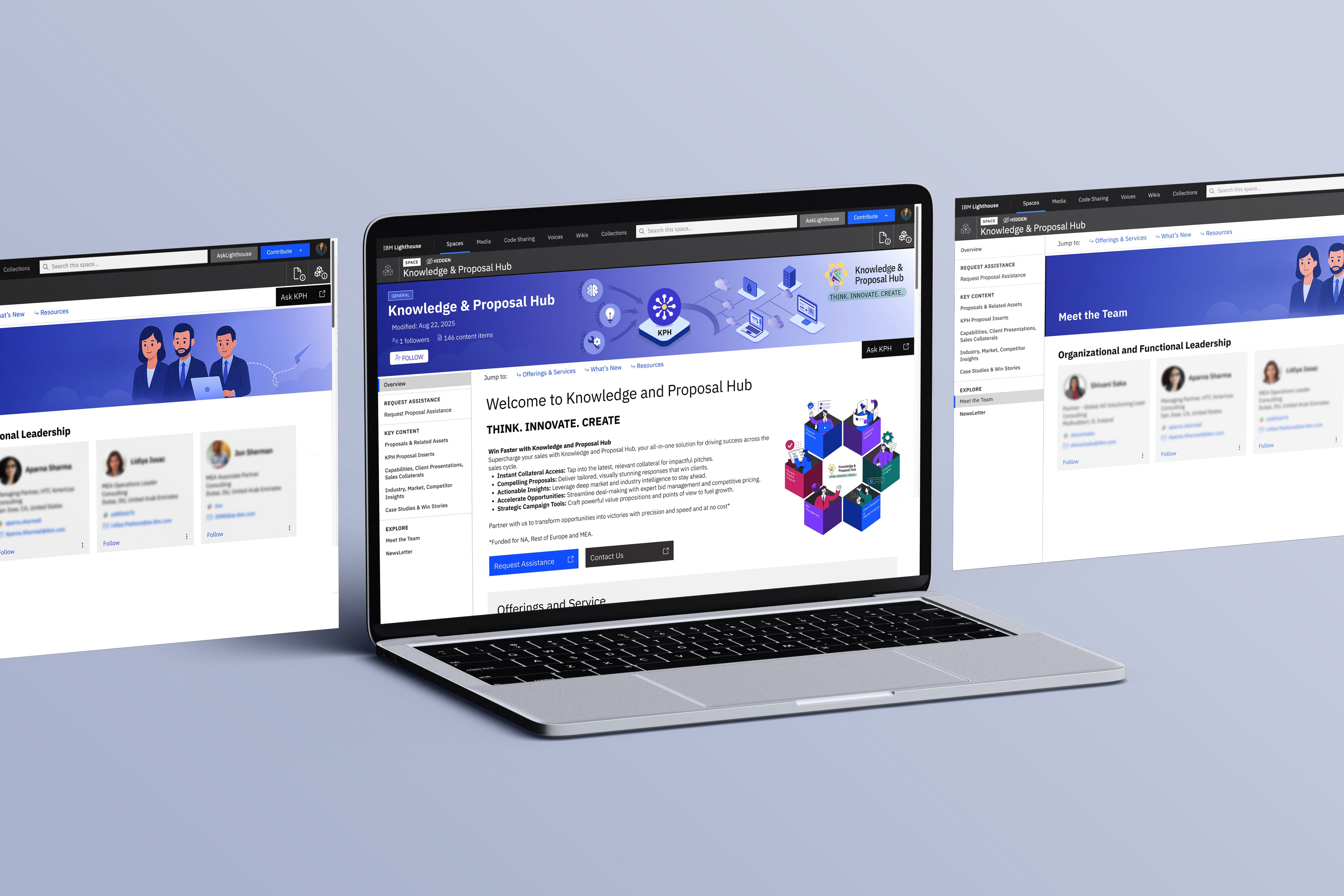
The redesigned KPH platform went live in November 2025.
It reached 1,970 followers organically, without any push. Increased usage came from the platform being easier to navigate.
636 content items that were previously hard to find are now accessible through a clearer structure.
For 80+ core users, tasks like finding content, raising requests, and managing updates became faster and more straightforward.
1.97K
Followers on the Lighthouse space
636
Content items now discoverable
80+
Core users. Zero workarounds.
Process
Research & Discovery
I started with a content audit of the existing portal and conversations with bid teams and internal KPH users.
The feedback was consistent.
People struggled to find content, internal tools were hard to access, and the platform lacked a clear structure.
I mapped key user intents, friction points, and gaps between what users expected and what they actually found. That became the foundation for the decisions that followed.
Information Architecture
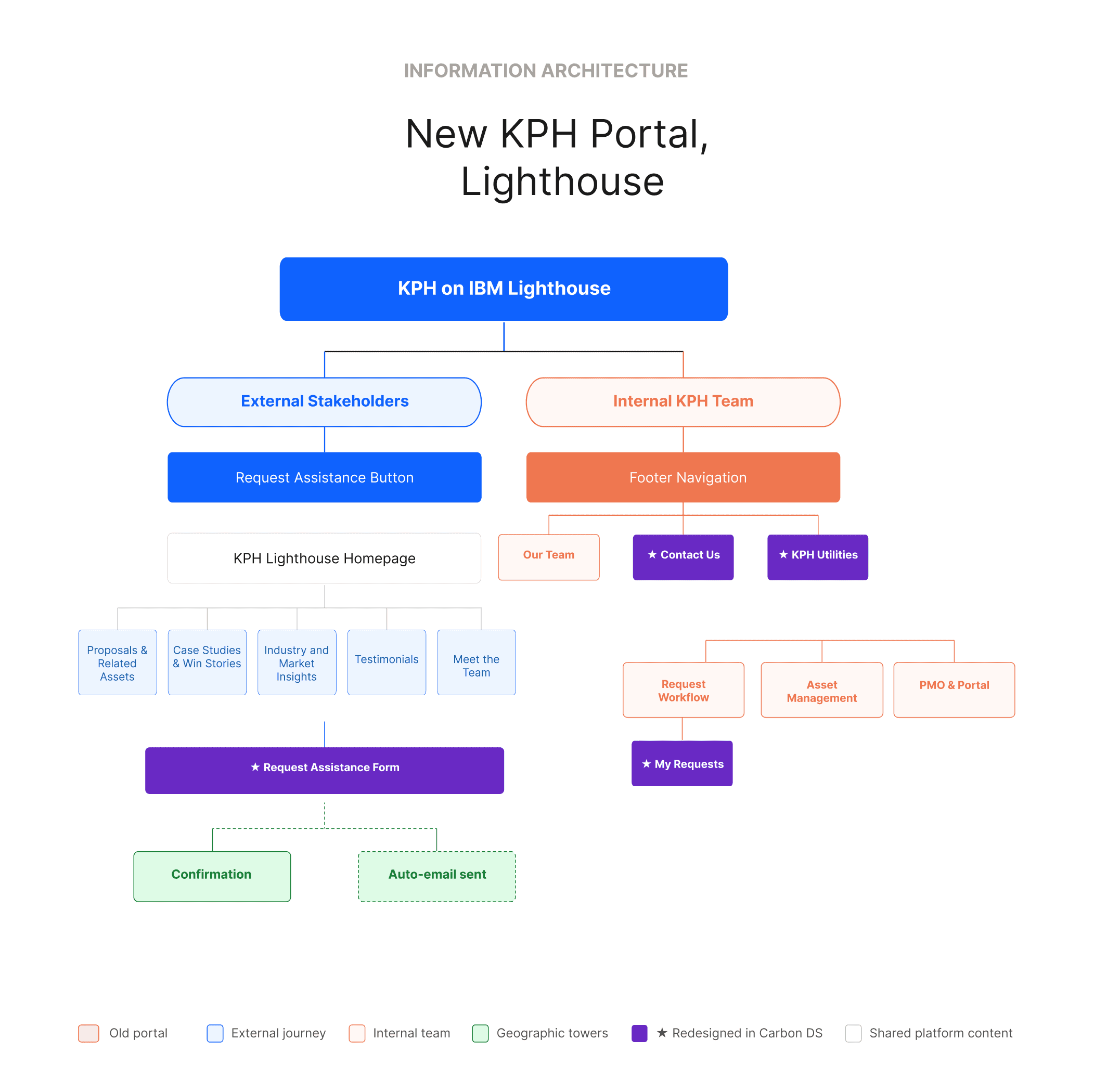
Based on these insights, we aligned on a few key structural shifts.
The biggest was separating external and internal journeys.
External users needed a clear way to raise requests and find content.
Internal teams needed direct access to tools like request tracking, reports, and content management.
Instead of forcing both into one system, we split them:
Lighthouse for external stakeholders
Cirrus for internal utilities
We also:
Moved Request Assistance from a header link to a primary action
Reworked navigation around how users search, not how content was organised internally
Applied Carbon Design System consistently across surfaces
Wireframing & Prototyping
I started with low-fidelity layouts to define structure and hierarchy.
The Request Assistance flow was simplified from a cluttered multi-column form into a clearer two-column experience.
We added a “How it works” section to set expectations before submission, so users understood what would happen next.
Usability Testing & Iteration
Post-launch, we ran usability sessions with real users.
Based on feedback, we refined navigation labels, improved CTA visibility, and adjusted content hierarchy.
The platform is still evolving, with changes driven by actual usage patterns rather than assumptions.
Visual Design
All screens were designed using the IBM Carbon Design System.
Components like tiles, tables, forms, and notifications were used consistently across all the pages.
This ensured consistency and made developer handoff smoother.
“This looks great and is a significant improvement over the previous portal.”
SB
Shashi Bhushan
Associate Partner, IBM Consulting
Reflection
Most of the important decisions here were structural, not visual.
Separating internal and external journeys reduced more friction than any UI change.
Working within existing IBM systems meant every decision had to be practical and implementable, not just ideal.
This project reinforced that enterprise UX is about understanding how people work under pressure and designing systems that support that clearly.
The platform is live and still evolving. That’s part of the job.