
Designing Flipkart Mobile Accessories Experience
Mobile Accessories is one of Flipkart’s highest-traffic categories. It includes cases, chargers, power banks, and screen guards. These are products users often buy alongside a phone or come back to replace.
I was the category designer for this entire vertical, covering the landing page and all subcategory pages like Chargers, Power Banks, Cases, and Screen Guards. This included the full journey from entry to product selection.
The category had traffic, but it wasn’t converting.
The issue wasn’t discovery. It was structure.
Flipkart
Category Designer
End-to-end across IA, structure, and experience
2021 – 2023
Web + App
Information architecture
Category pages
Visual hierarchy
Challenge
The experience was built around inventory, not how users made decisions.
The landing page was a flat grid with filters and budget options, but no clear starting point. The same pattern repeated across subcategories.
Drop-off data made the issue clear.
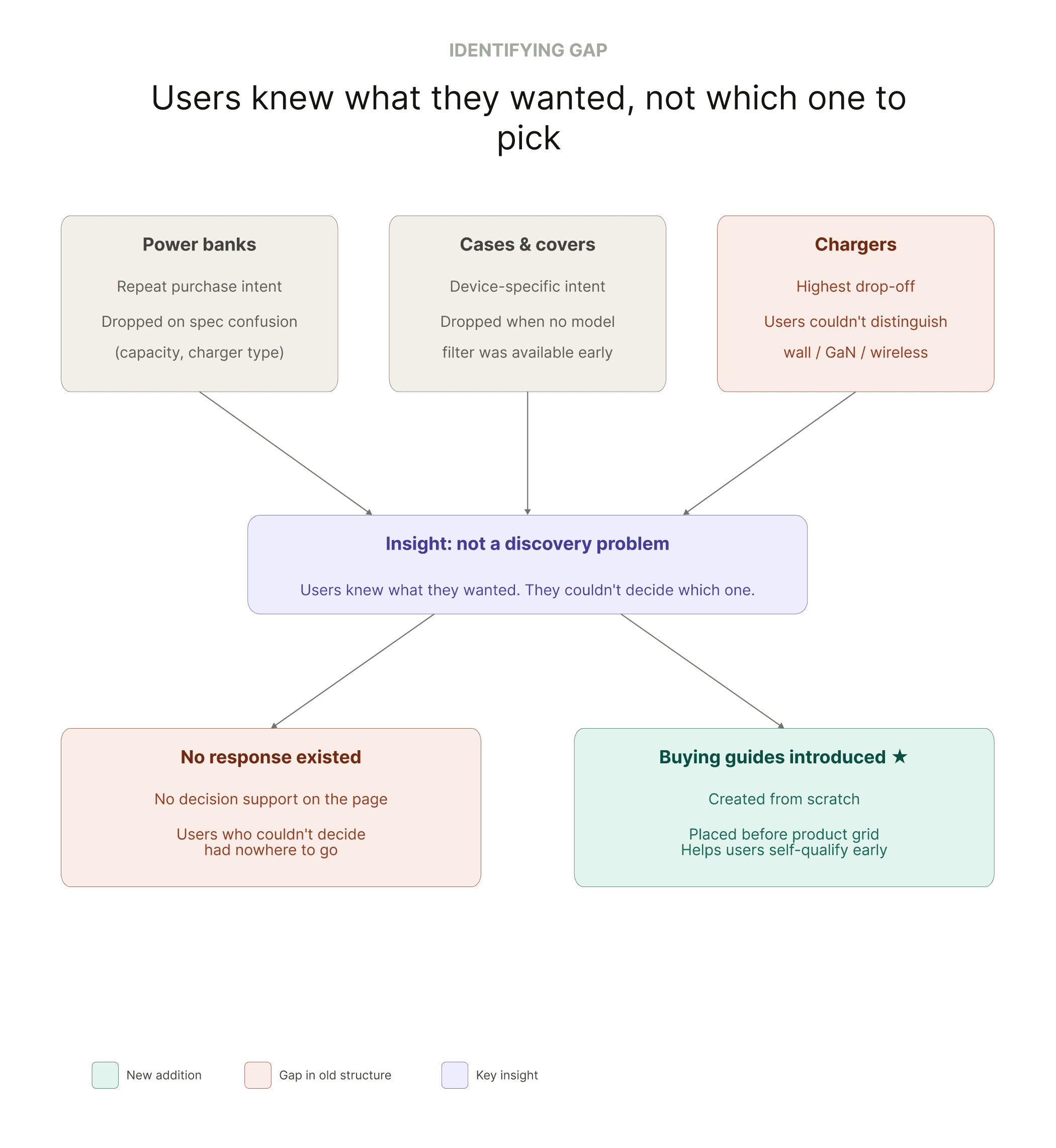
Users were leaving at points where they had to make decisions without enough context.
Each subcategory had its own problem:
Power banks → confusion around specs
Cases → no early device filtering
Chargers → no clear way to compare options
Despite this, every page followed the same structure.

Process
Research & Discovery
I mapped how users moved through the category. Where they entered, where they dropped, and what they were trying to do when they left.
Drop-offs weren’t random. They were highest where the page didn’t support decision-making.
I also reviewed similar categories across platforms to understand existing patterns and expectations.
Information Architecture
The first change was at the entry point.
I restructured the landing page around how users think:
Start with device type (iPhone, Android, tablet)
Then move into relevant subcategories
This reduced the need to scan irrelevant options early.
The bigger gap was deeper in the journey.
Users reaching subcategories still had no help deciding. They either guessed or dropped.
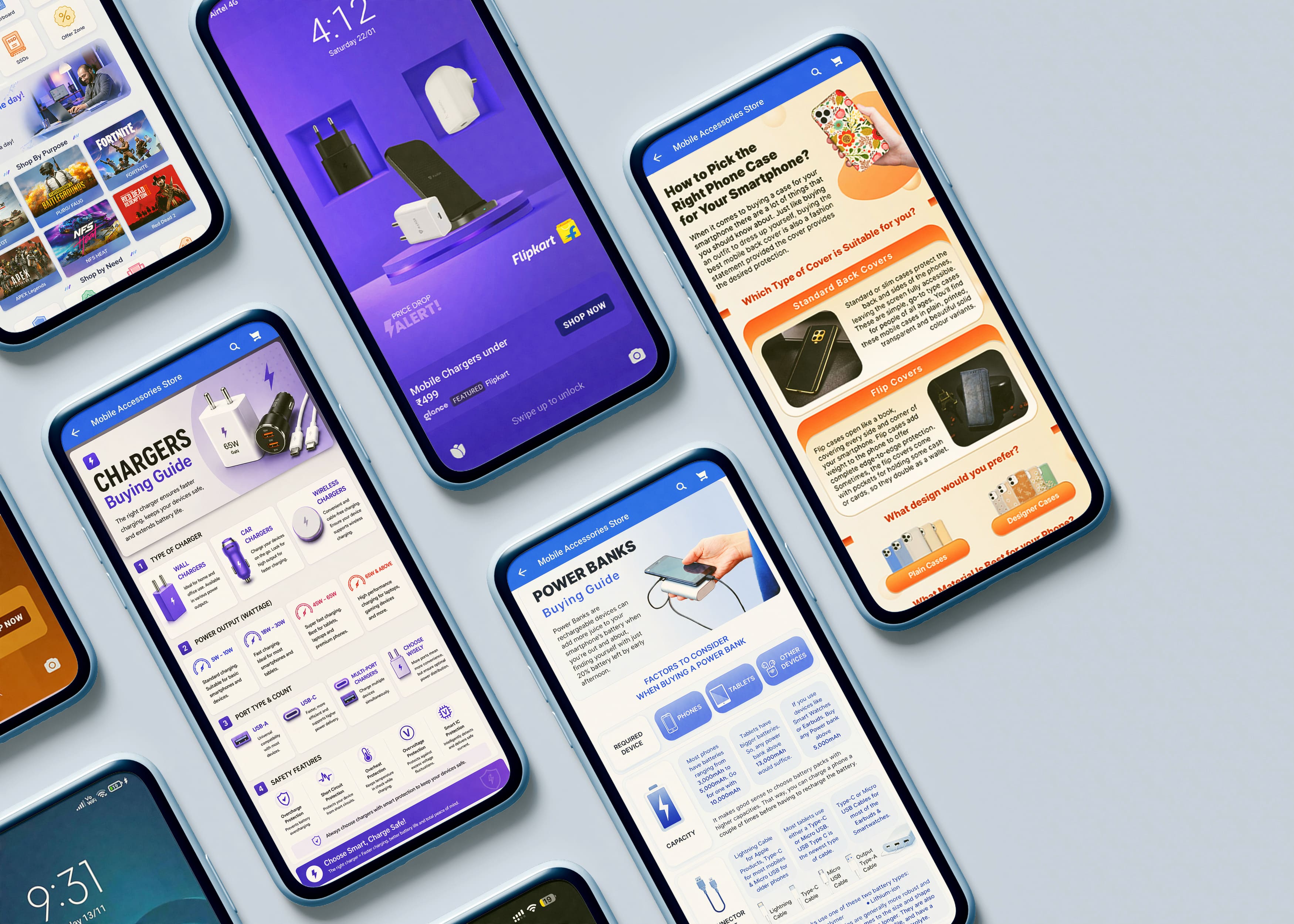
I introduced buying guides for key categories:
Power Banks
Chargers
Cases and Covers
Screen Guards
These helped users choose based on their needs, not just browse products.
They were placed before the product grid, exactly where drop-offs were highest.
Structure System
Each subcategory followed a consistent structure:
Buying guide (decision support)
New launches and deals
Budget refinement
Product listings
The structure stayed the same across categories. Only the content changed.
Wireframing & Iteration
For each section, I defined what it needed to do and what decision it should support.
Iterations focused on reducing steps between landing and product selection.
Usability Testing
Post-launch, usability sessions helped refine:
Navigation labels
CTA visibility
Content hierarchy
Changes were based on actual behaviour, not assumptions.
Visual Design
The work stayed within Flipkart’s design system.
The change wasn’t in components, but in how they were used:
Clearer hierarchy
Better separation between sections
Consistent layouts across categories
The goal wasn’t to make it look different.
It was to make it work better.
Results
The redesigned landing page and subcategory pages rolled out across key subcategories in 2022.
5-7%
Continuation rate improvement
8-12%
CTR lift across category surfaces

Reflection
Reorganising the journey around device-first navigation reduced the effort needed to reach the right category.
Buying guides helped users who were unsure, not just those ready to buy.
The same structure worked across all subcategories, which made it easier to scale without redesigning each page.
This reinforced a simple pattern:
When structure matches how users decide, conversion improves.