
Designing a Digital Gardening Experience
Plant care looks simple on the surface.
In practice, it breaks down quickly.
People rely on scattered advice, inconsistent sources, or guesswork. What starts as a hobby often turns into frustration when plants don’t survive despite effort.
This project explores how plant care can be structured into a guided, reliable experience instead of trial and error.
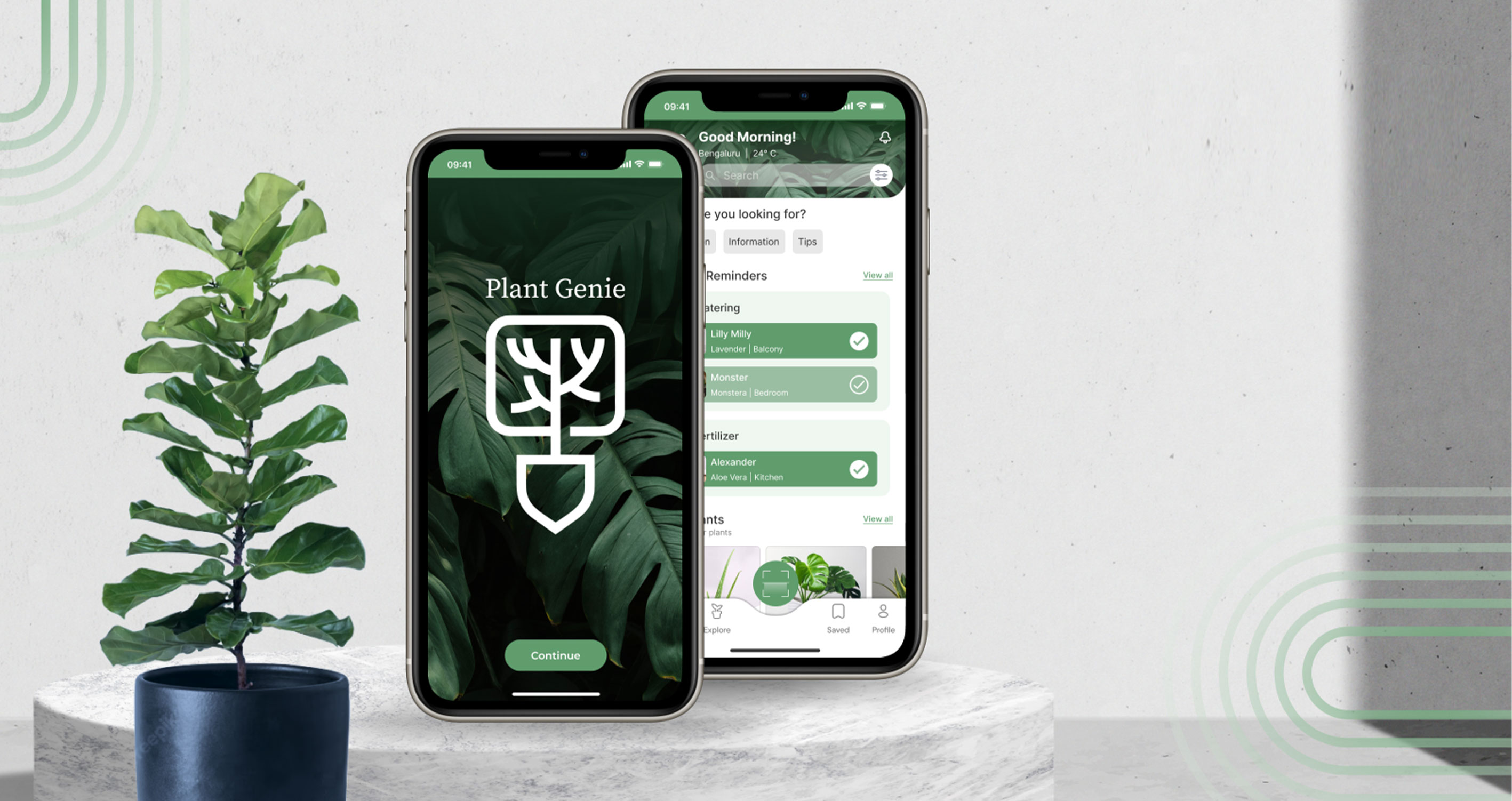
Concept Product UX
Mobile App
UX Designer
End-to-end across research, flows, and experience
Mobile App
What I worked on
Research
User flows
Information architecture
Journey mapping
Interaction design
Visual design
Challenge
The problem wasn’t a lack of information.
It was a lack of clarity.
People had access to plant care content, but:
Information was fragmented and often contradictory
Users struggled to identify plant issues
Care routines were inconsistent and hard to maintain
Existing apps focused on features, not behaviour
New users especially found it hard to move from knowing something to doing the right thing at the right time.
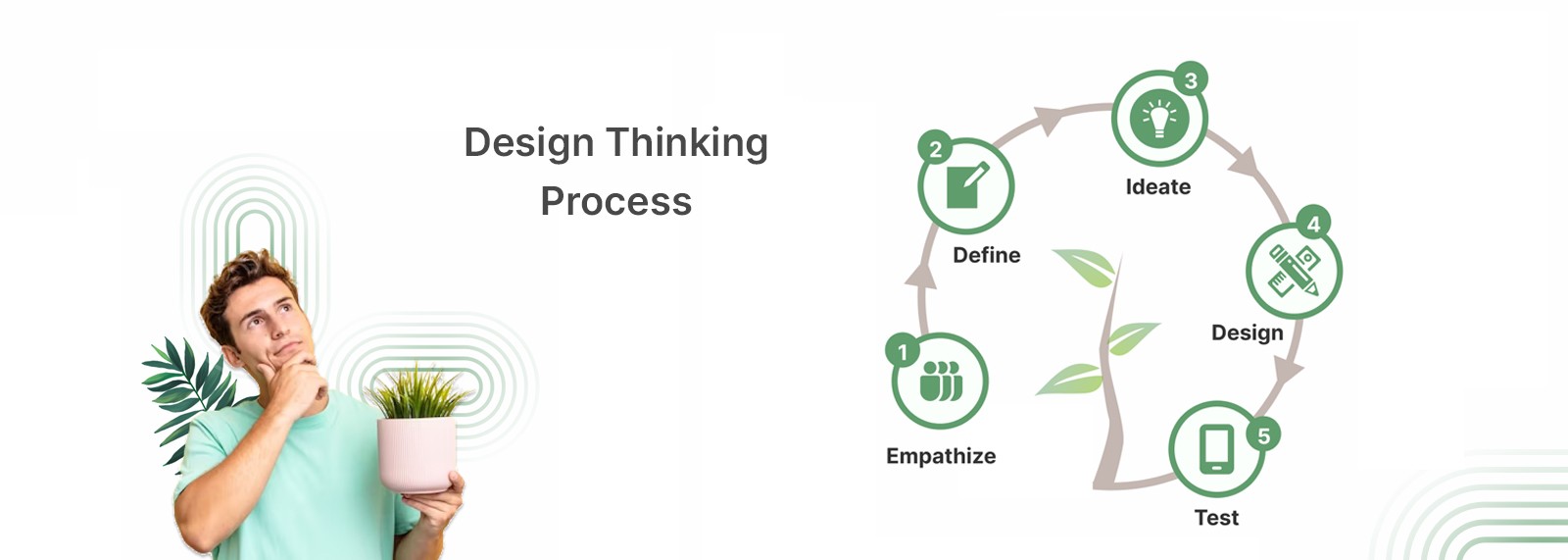
Process
Research & Discovery
I started by understanding how people currently approach plant care.
This included:
Competitive analysis
User interviews and surveys
Behaviour mapping
A few patterns stood out:
Users wanted personalised guidance, not generic advice
Most needed reminders to stay consistent
There was strong interest in diagnosis and expert direction
Identifying issues was often the biggest blocker
What this pointed to was simple.
People weren’t looking for more information. They were looking for direction.
Shaping the Direction
Instead of building a feature-heavy app, the focus shifted to:
Helping users understand what to do next
Reducing effort in maintaining routines
Making plant health visible and easy to interpret
This moved the product from information-heavy to decision-driven.
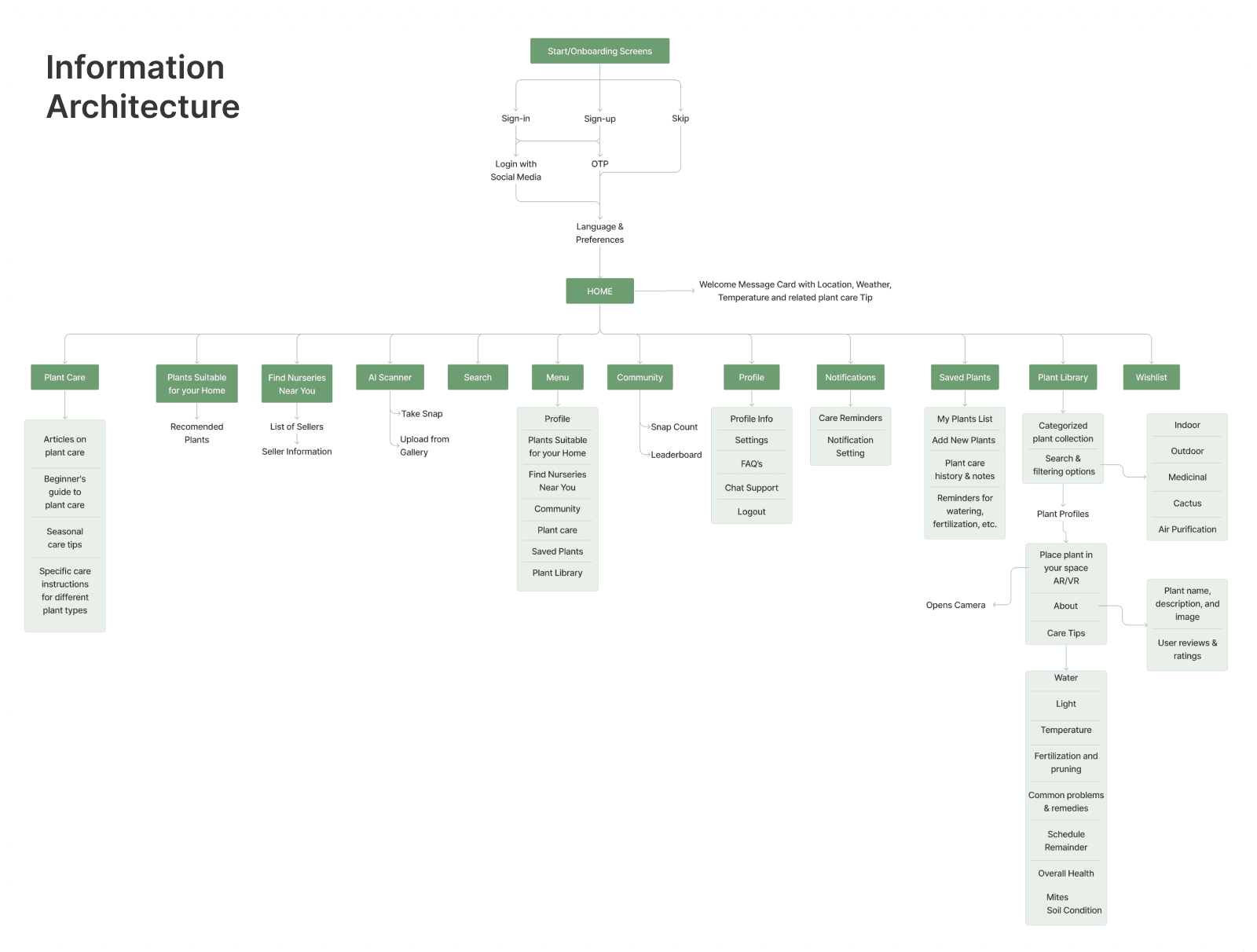
Information Architecture
The structure was built around how users think about plant care.
The home acts as a control layer:
Active plants
Health status
Tasks and reminders
Each plant becomes its own space with:
Care details
Environmental needs
History and progress
Supporting layers include:
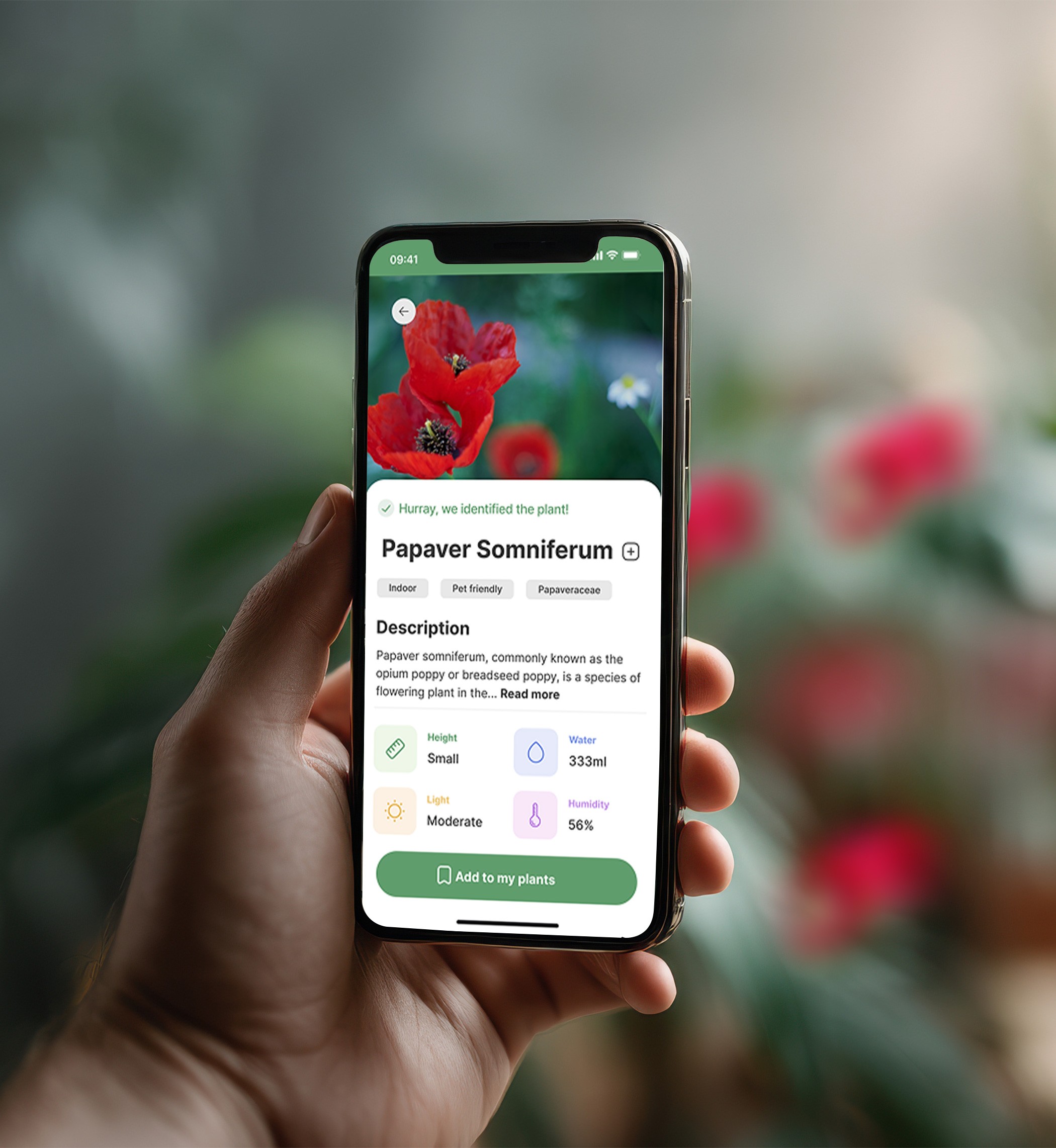
Plant identification (scan)
Diagnosis and health check
Discovery and recommendations
Everything stays connected within a single flow, without forcing navigation.
Key Decisions
Designed plant care as an ongoing journey, not isolated tasks
Prioritised actions over long-form content
Made diagnosis a core feature instead of an add-on
Built reminders into the experience to support consistency
The focus stayed on behaviour, not just information.
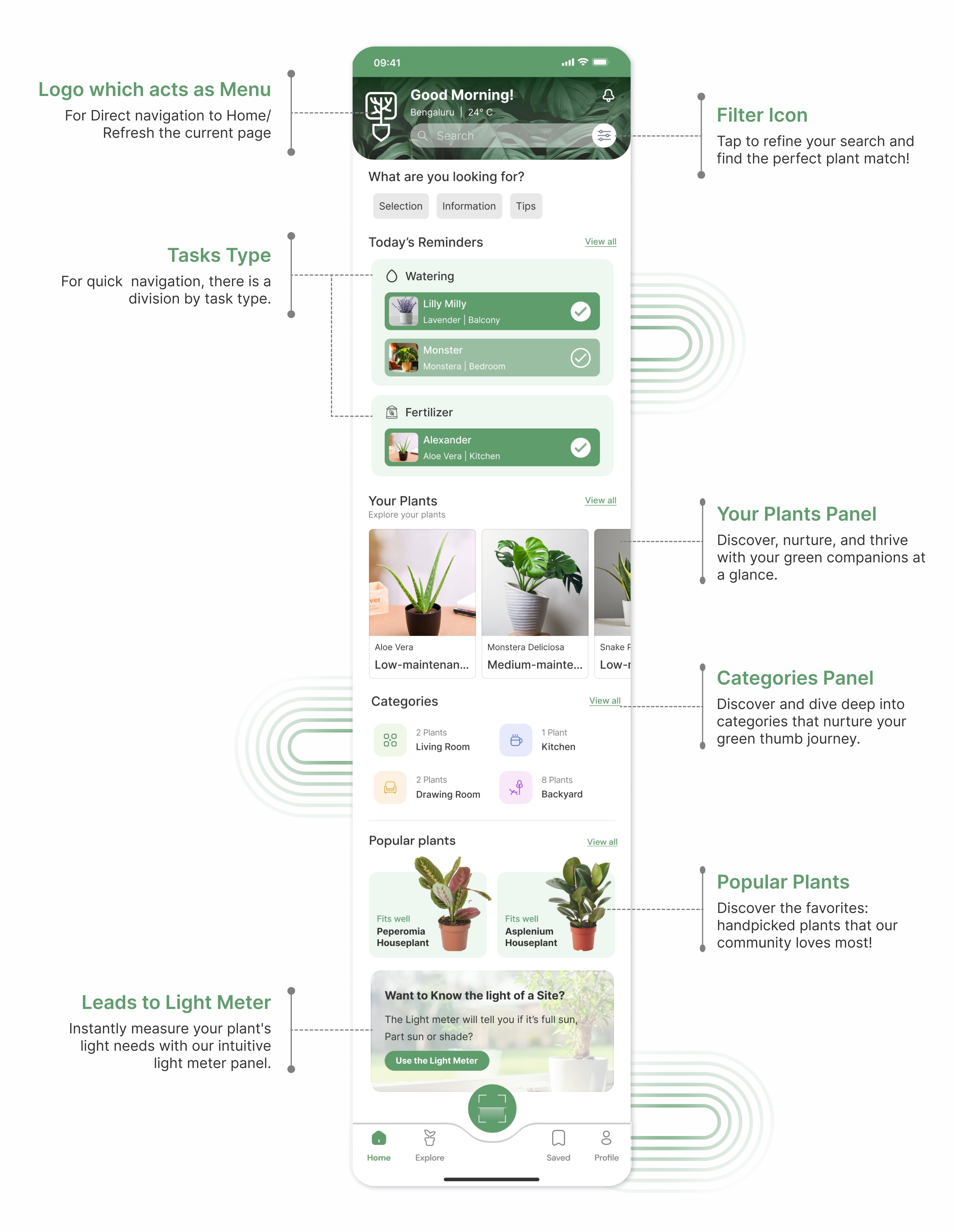
Experience Design
The interaction model keeps things simple and contextual.
Users can:
Identify plants using the scanner
Add and manage their collection
Track care routines
Receive timely reminders
The system builds feedback over time, helping users see how their actions affect plant health.
Visual Design
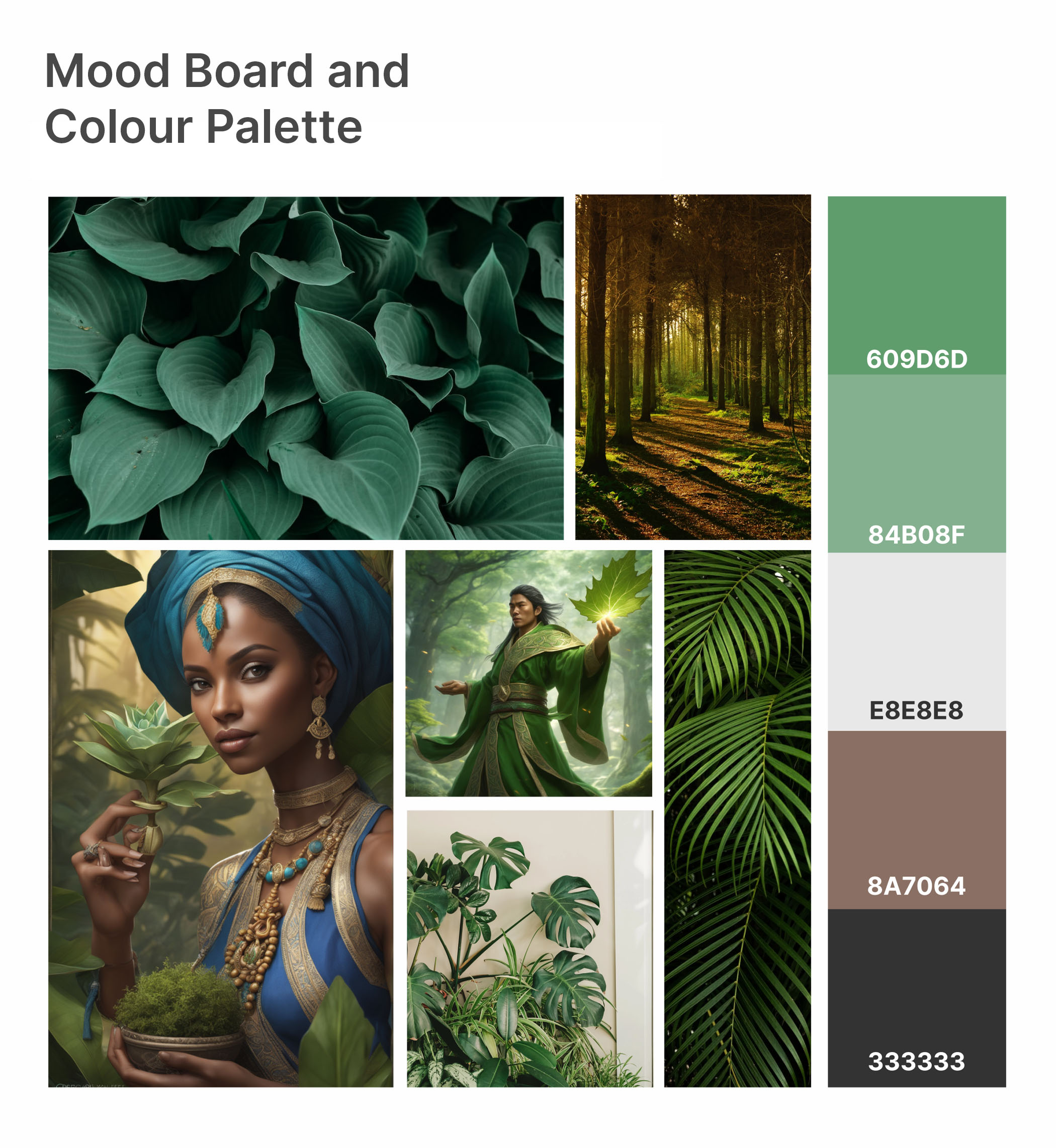
The visual system is calm and natural.
Green tones and soft contrast
Clean layouts with clear spacing
Minimal visual noise
The goal was to support focus, not overwhelm.
Usability Testing & Iterations
Testing validated key flows:
Users could set up reminders easily
Plant identification worked well
Care instructions were easy to follow
One issue around feature discoverability was refined in later iterations.
Overall, the experience felt intuitive, even for first-time users.
Outcome
The experience shifts plant care from uncertainty to guidance.
Instead of guessing what to do next, users can:
Understand what’s happening
Take the right action
Build confidence over time
Reflection
People don’t struggle because they lack information.
They struggle because acting on that information takes effort.
Designing for action changes how the entire experience feels.